YOUR POCKET CAMERA / RILACAM

Turn everyday
into memories.

A little grain. A little nostalgia. Just enough imperfection.
Turn your iPhone into a pocket retro camera,
and keep the moments you never planned.

Meet RilaCam Made for iPhone
iOS 17 or later

No account needed. Open your camera and start capturing.

Find today’s colors
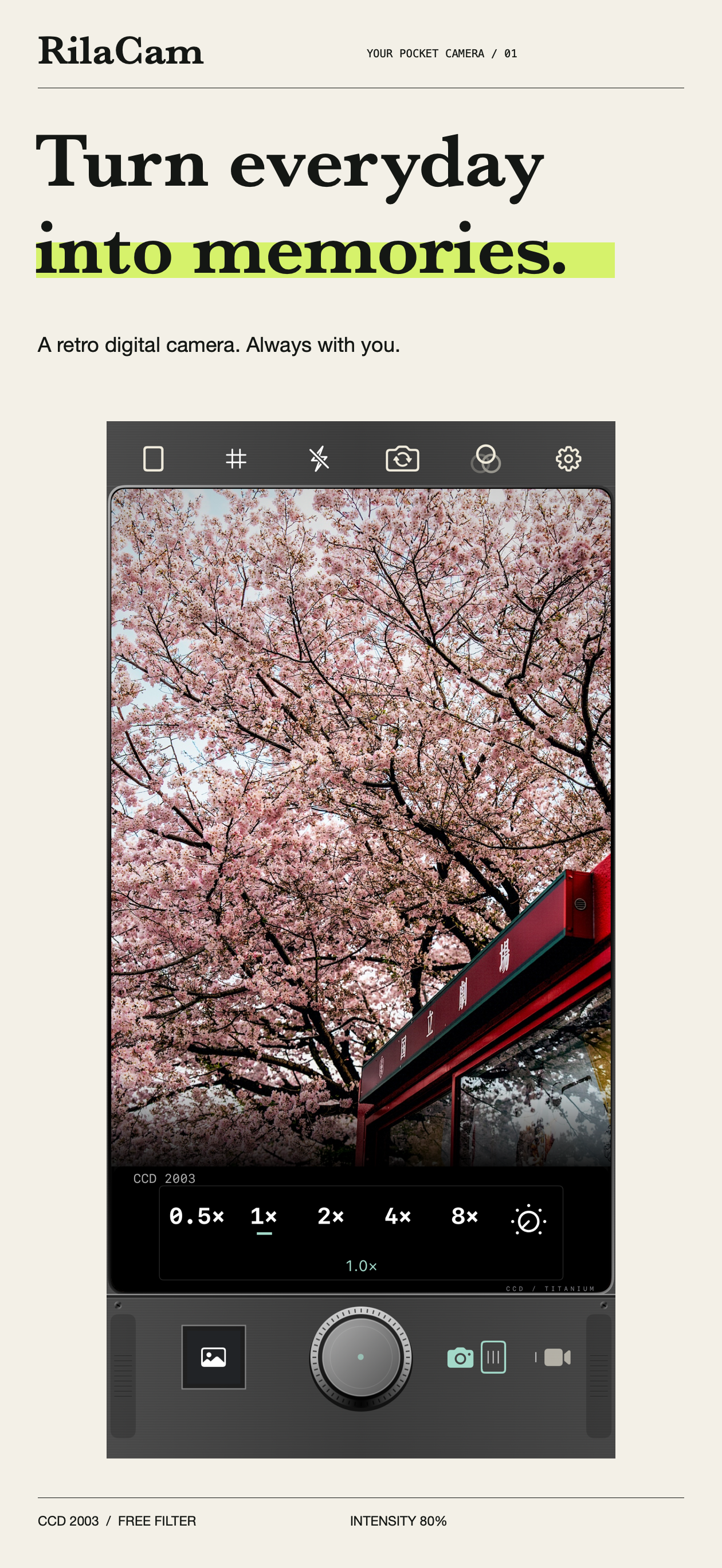
RilaCam showcase: a cherry-blossom street in CCD 2003, with camera zoom and shutter controls below
01 / EVERYDAY MEMORIES
21 filtersPHOTO + VIDEO Photo & video12MP Max photo outputON DEVICE Local image processing
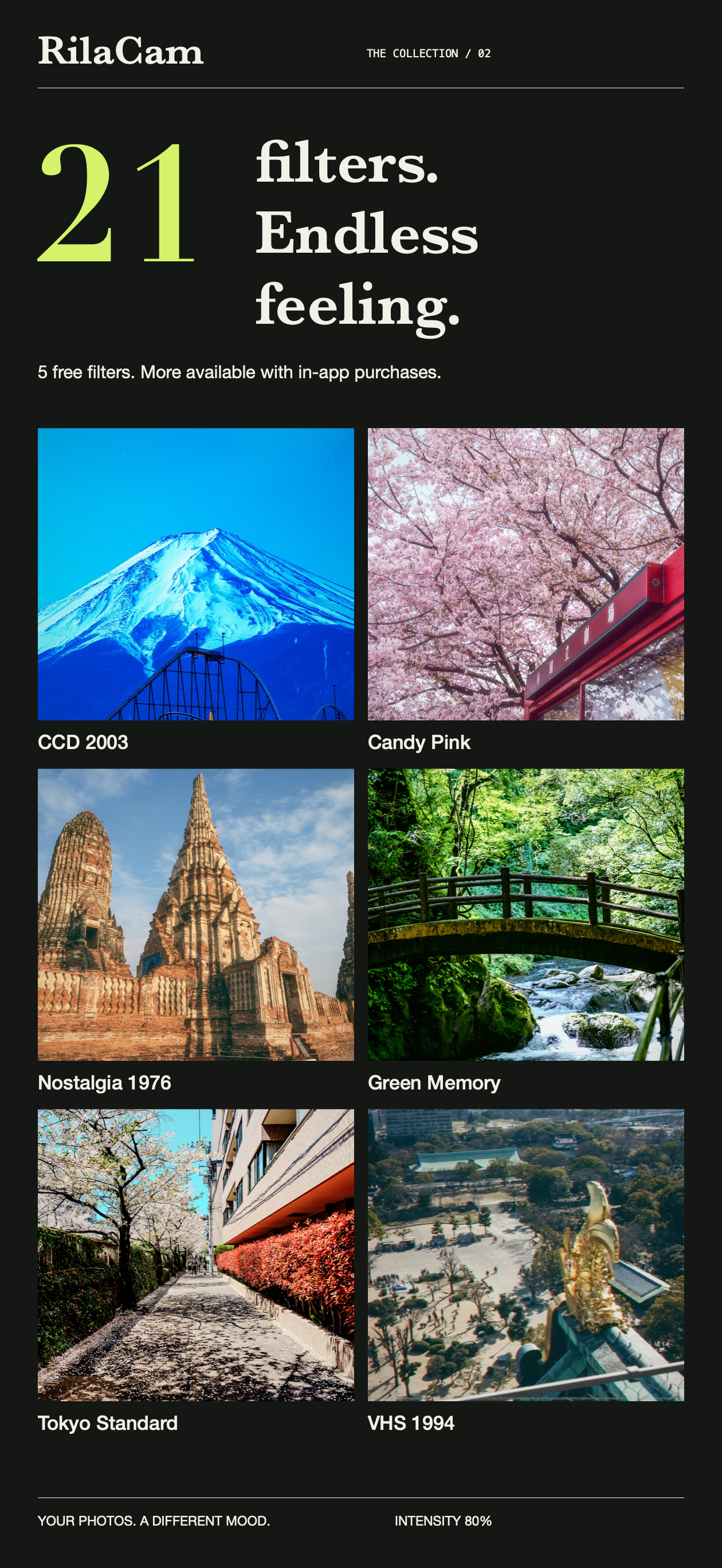
21-filter overview: Mount Fuji, cherry blossoms, temples, and a stream in CCD 2003, Candy Pink, Nostalgia 1976, Green Memory, Tokyo Standard, and VHS 1994
02 / FIND YOUR FEELING

THE COLLECTION / 21 LOOKS

Everyday scenes.
A different feeling.

From the crisp colors of early digital cameras to film-inspired warmth and monochrome. Pick a filter and make the scene your own.

Start with 5 free filters
  • CCD 2003
  • Pocket 4
  • Warm Date
  • Night CCD
  • VHS 1994
Explore four collections

FOUR COLLECTIONS / MORE WAYS TO SEE

Find your kind of color.

Digital nostalgia, soft colors, film stories, everyday diaries.
Open the images and explore the details.

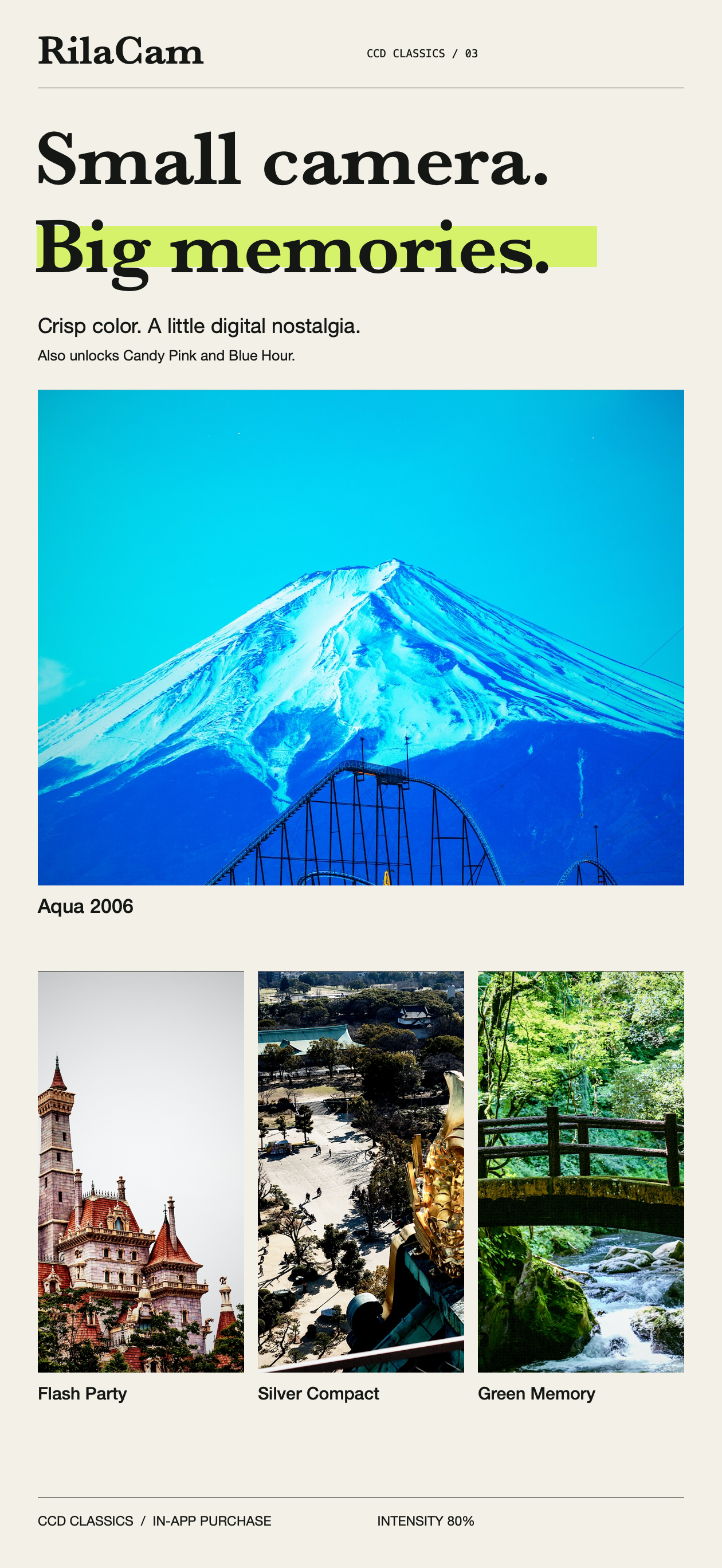
CCD Classics showcase: Mount Fuji in Aqua 2006, a castle in Flash Party, a temple in Silver Compact, and a green stream in Green Memory
03 / CCD CLASSICS

CCD Classics

Crisp colors and a little digital nostalgia. Bring those small-camera memories into today.

Filters & purchase details

Aqua 2006, Flash Party, Silver Compact, and Green Memory. Purchasing this collection also unlocks Candy Pink and Blue Hour.
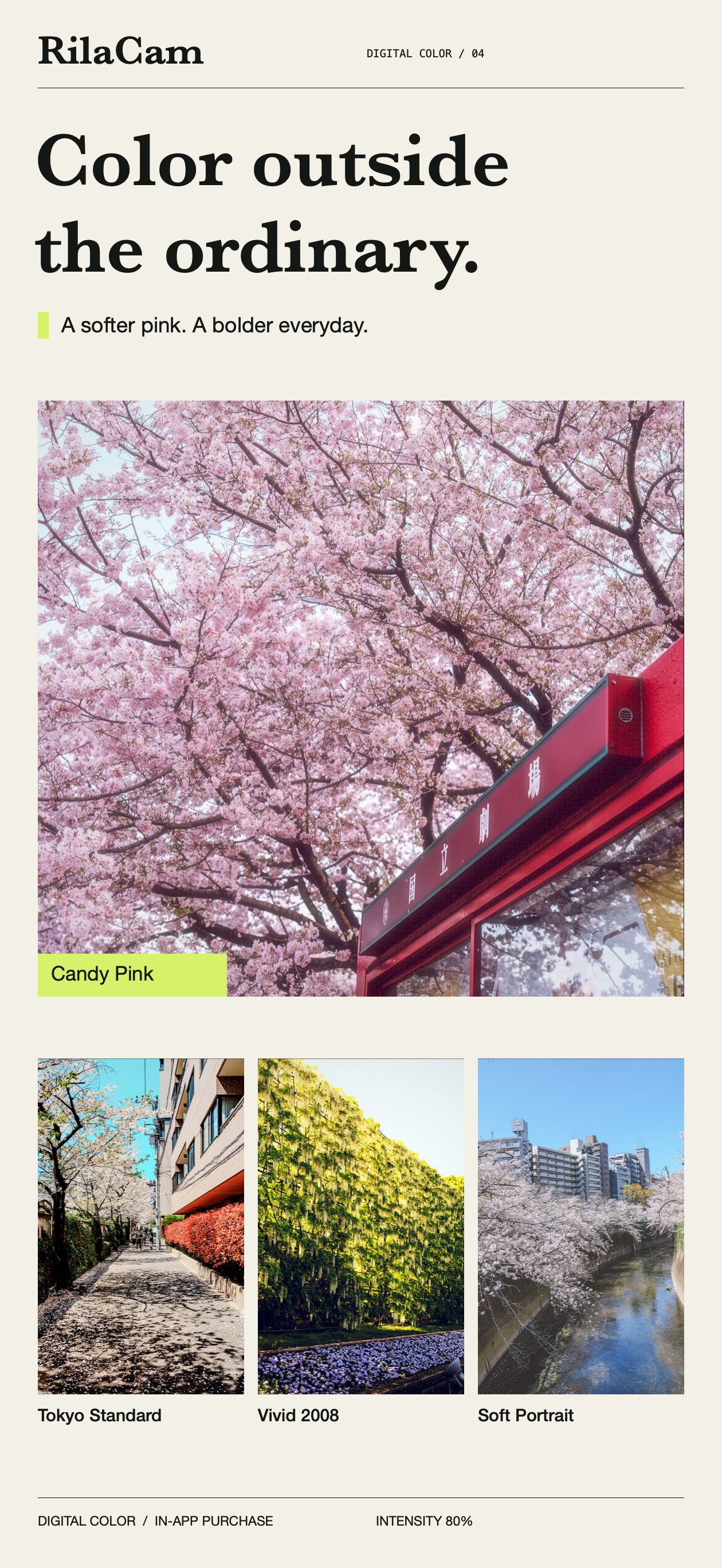
Digital Color showcase: cherry blossoms in Candy Pink, a street in Tokyo Standard, a garden in Vivid 2008, and a riverside in Soft Portrait
04 / DIGITAL COLOR

Digital Color

Softer pinks. Bolder everyday colors. See familiar scenes in a new light.

Filters & purchase details

Tokyo Standard, Vivid 2008, Soft Portrait, and Candy Pink.

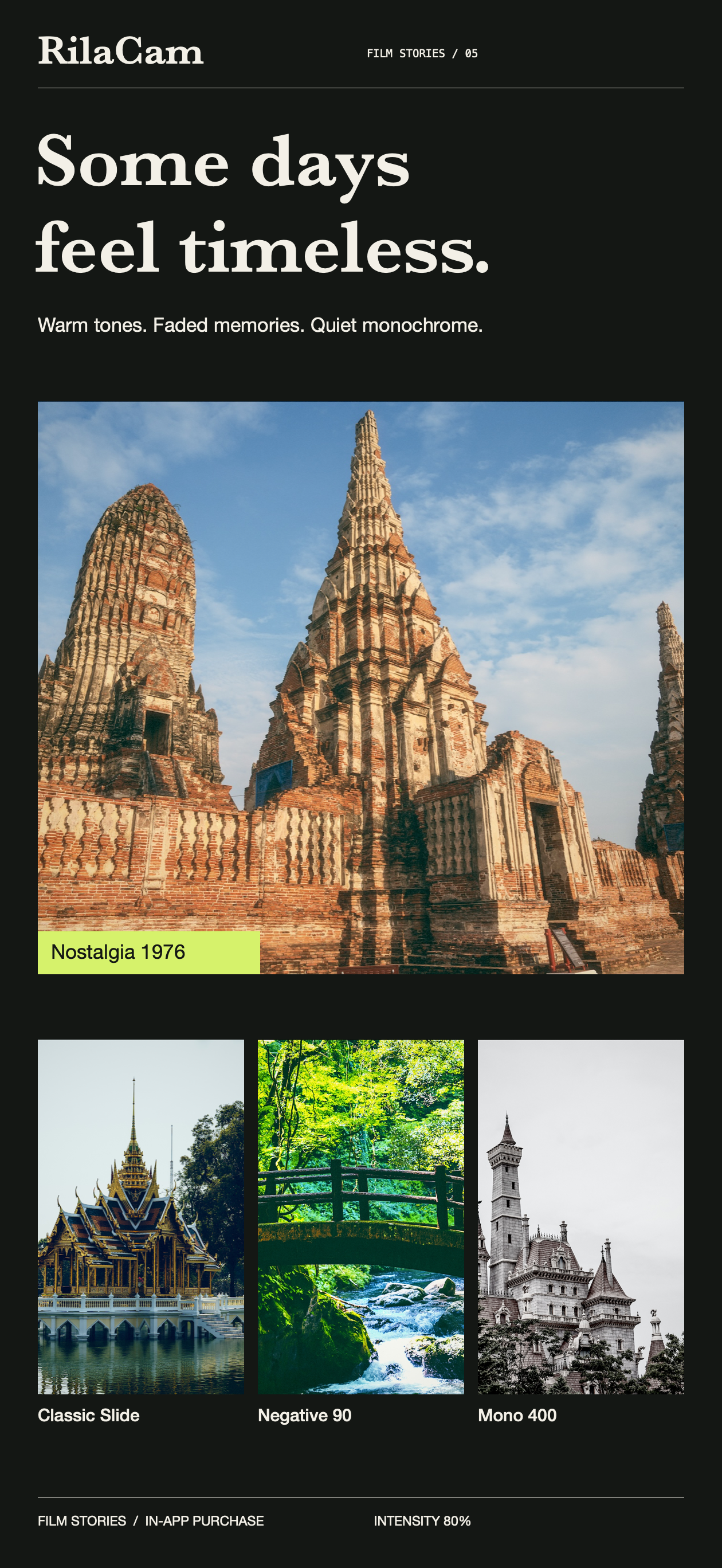
Film Stories showcase: an ancient temple in Nostalgia 1976, waterside architecture in Classic Slide, a stream in Negative 90, and a monochrome castle in Mono 400
05 / FILM STORIES

Film Stories

Warm tones, faded memories, and quiet monochrome. Keep a little texture of time.

Filters & purchase details

Classic Slide, Negative 90, Nostalgia 1976, and Mono 400.

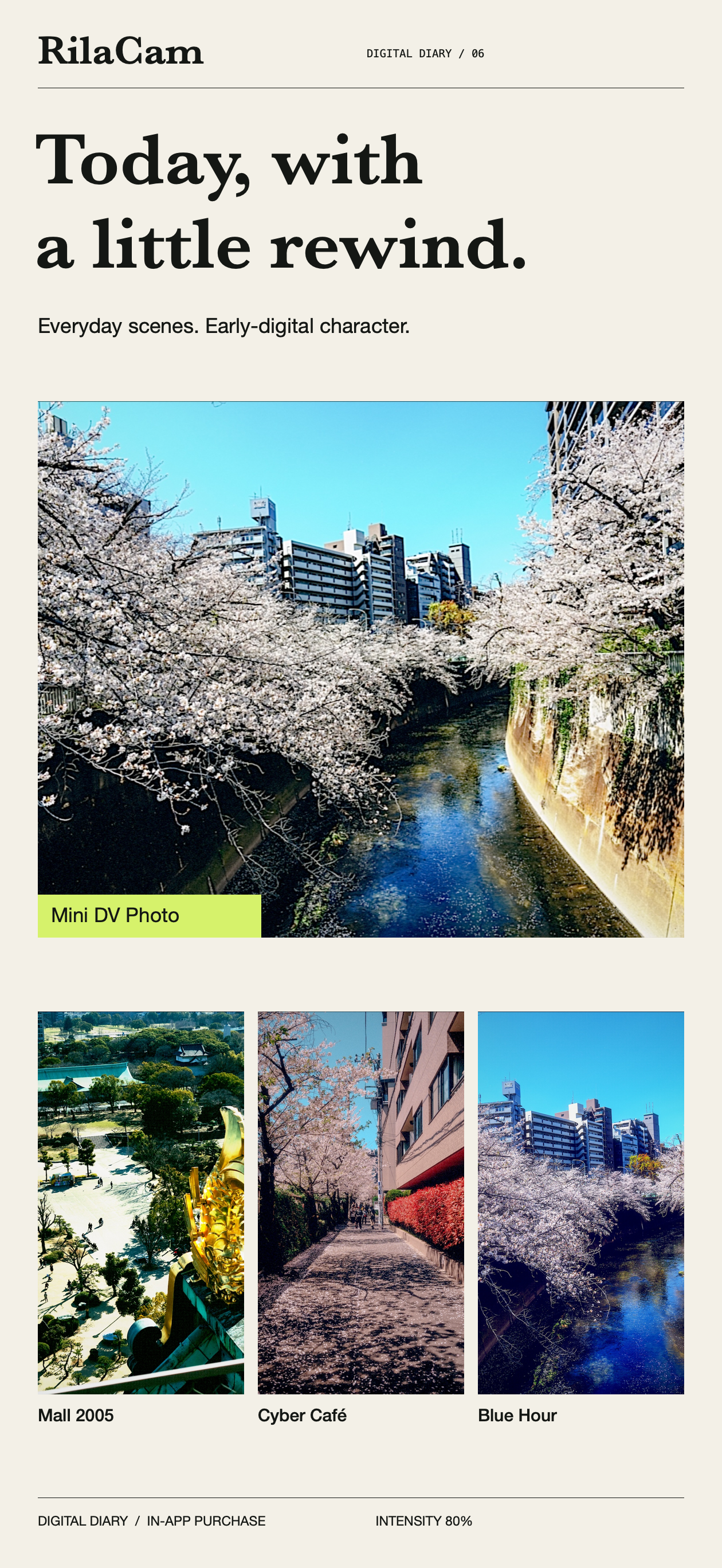
Digital Diary showcase: a cherry-blossom river in Mini DV Photo, a temple square in Mall 2005, a street in Cyber Café, and a blue-toned riverside in Blue Hour
06 / DIGITAL DIARY

Digital Diary

Give today a little rewind. Early-digital character turns ordinary scenes into a visual diary.

Filters & purchase details

Mall 2005, Cyber Café, Mini DV Photo, and Blue Hour.

Showcase images use 80% filter intensity. Results vary with the scene and your chosen intensity. Paid filters require an in-app purchase before you can save results. Collections are non-consumable purchases with Restore Purchases support. See the App Store for current prices.

YOUR CAMERA / YOUR WAY

Your favorite look.
Your way to shoot.

From choosing a filter to pressing the shutter.
Follow your own feeling, every time you shoot.

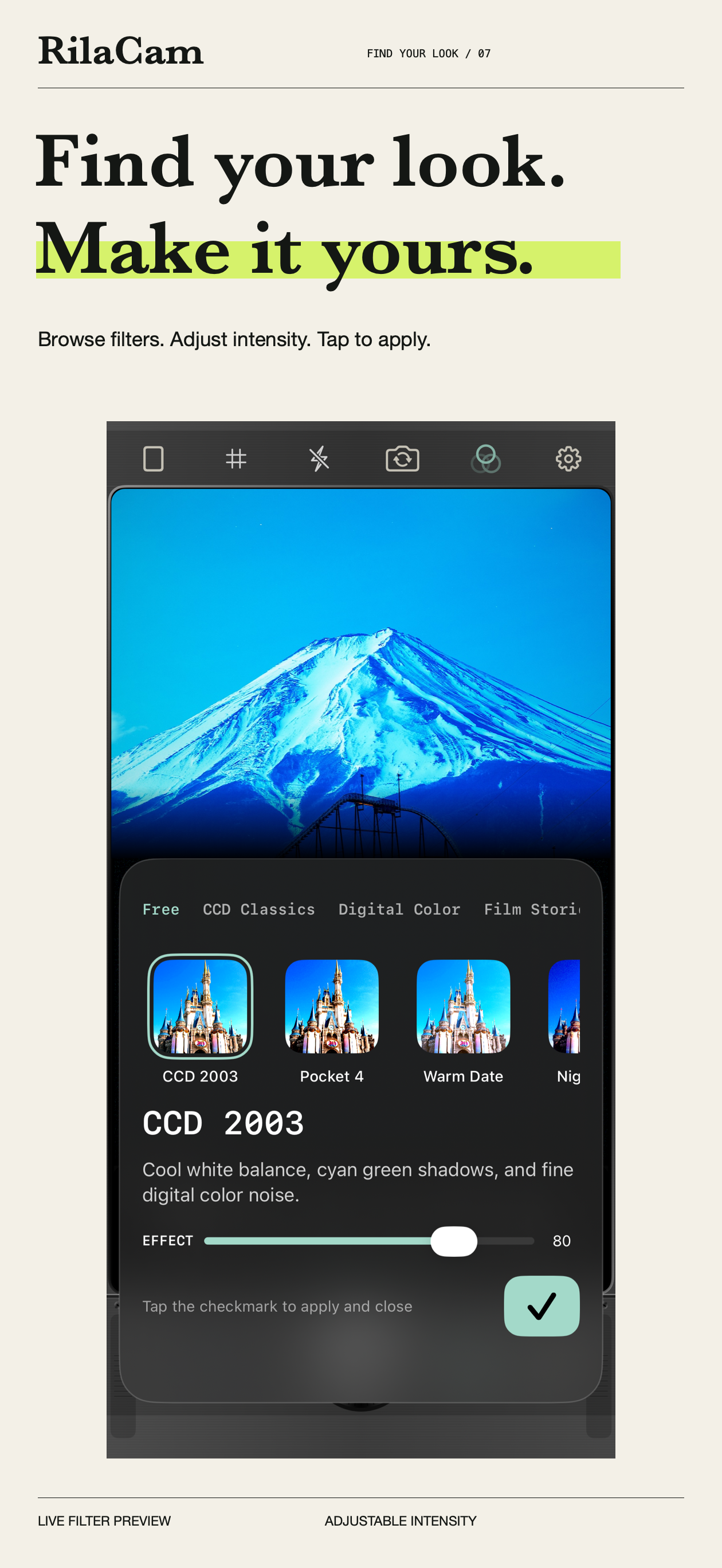
RilaCam filter picker: browse categories and thumbnails, adjust effect intensity, and tap the checkmark to apply
07 / CHOOSE YOUR LOOK

Find your look. Make it yours.

Browse filters, preview them live, and adjust the intensity. RilaCam remembers each filter’s setting, so your look is ready the next time you open the camera.

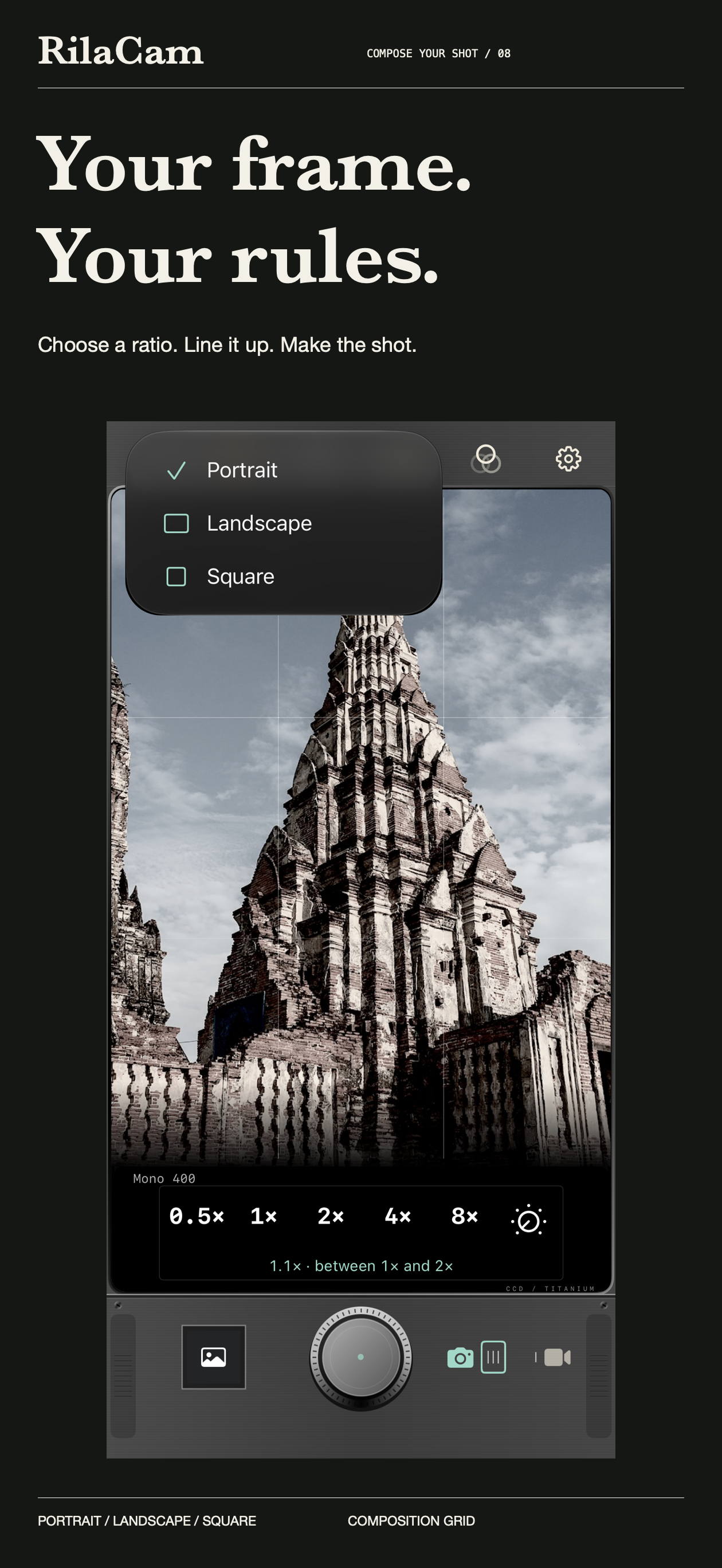
RilaCam framing controls: portrait, landscape, and square options, a composition grid, and current zoom over a temple in Mono 400
08 / FRAME YOUR SHOT

Your frame. Your rules.

Choose 3:4, 4:3, or 1:1 framing, with a composition grid and zoom controls. From sweeping views to small details, find the angle that feels right.

PHOTO + VIDEO

Memories can have a soundtrack.

Keep the same filter style across photos and videos. Record at 720p or 1080p and turn little moments into films worth replaying.

DATE + PLACE

Remember the day. And the place.

Add date stamps, VHS overlays, and place name watermarks for a diary-like feel. Location is off by default; you choose whether to enable it.

SAVE + REVISIT

Capture now. Look back later.

Save JPG or HEIF photos at up to 12MP. Open My Work to zoom into your photos or replay a video you just made.

Images showcase the app interface and filter rendering. Available lenses, zoom, shutter, and flash controls depend on your iPhone. Output resolution may be lower depending on the lens, crop, and shooting conditions. Camera Control requires supported hardware and iOS 18 or later.

YOUR MOMENTS / YOUR CHOICE

Your moments stay in your life.

Photos and videos are processed on your device, with no uploads to developer-operated servers.
No account needed. You control camera, photo, microphone, and location permissions.

Place-name lookup uses Apple services. Photos may sync or download according to your iCloud settings.

Read the full Privacy Policy